Defending Against Shrink Locker Ransomware: Infrastructure and IOCs to Block
Ransomware attacks have become one of the most significant cybersecurity threats in recent years, targeting both individuals and organizations across the globe.

ShrinkLocker Ransomware: Understanding its Infrastructure and How to Defend Against It
Ransomware attacks have become one of the most significant cybersecurity threats in recent years, targeting both individuals and organizations across the globe. Among the many variants, ShrinkLocker Ransomware has recently garnered attention due to its sophisticated techniques and reliance on a complex infrastructure to execute its malicious activities.
This blog post delves into the ShrinkLocker Ransomware, presenting its infrastructure map and the Indicators of Compromise (IOCs) associated with it. Understanding these IOCs is crucial for organizations to strengthen their defenses and respond swiftly to this growing threat.
What is ShrinkLocker Ransomware?
ShrinkLocker is a sophisticated ransomware variant that employs several tactics to lock files and demand a ransom payment from victims. Unlike traditional ransomware, which encrypts files, Shrink Locker focuses on locking critical data and preventing access to vital files. This variant primarily targets businesses and individuals dealing with highly sensitive information, making its potential impact particularly damaging.
Key Features of ShrinkLocker Ransomware:
File Locking: Instead of encryption, the malware locks access to files and requires a decryption key for recovery.
Use of Custom Domains and URLs: This ransomware variant uses specific URLs and domains to communicate with its command and control (C2) servers, where it receives instructions, sends stolen data, and manages the attack process.
Ransom Demand: After successfully locking files, the ransomware demands a ransom payment from the victim in exchange for unlocking the data.
Obfuscation Techniques: The ransomware often uses techniques to hide its presence and evade detection by security software, making it difficult to trace.
Understanding the infrastructure behind this attack is crucial for any organization looking to defend itself against the ShrinkLocker Ransomware.
ShrinkLocker Ransomware Infrastructure Map
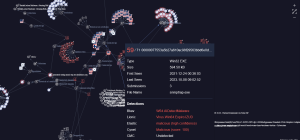
The ShrinkLocker malware relies on a variety of infrastructure components, including URLs, hostnames, and file hashes, that work together to facilitate the attack. Below is a breakdown of the components that play a critical role in the execution of this attack:
1. Malicious URLs: These are the web addresses used by the ransomware to communicate with its C2 servers. The attacker can send commands, exfiltrate data, and even deploy additional payloads through these URLs.
2. Hostnames: The ShrinkLocker ransomware uses custom-generated hostnames, often masked behind services like Cloudflare, to avoid detection and filtering.
3. File Hashes: Specific malicious files associated with the ransomware variant can be identified through their unique file hashes. Monitoring these hashes can help organizations quickly identify and block infected files before they can cause harm.
Table of Indicators of Compromise (IOCs) to Block
In order to defend against ShrinkLocker Ransomware, it is important to block known Indicators of Compromise (IOCs). These IOCs are related to the domains, URLs, hostnames, and file hashes associated with the malware. The following table lists the IOCs that organizations should block immediately:
| Type | Value | Date Added | Severity |
|---|---|---|---|
| File Hash (MD5) | 842f7b1c425c5cf41aed9df63888e768 | May 24, 2024, 9:00:20 AM | High |
| URL | https://earthquake-js-westminster-searched.trycloudflare.com:443/updatelog | May 24, 2024, 9:00:20 AM | High |
| URL | https://generated-eating-meals-top.trycloudflare.com/updatelog | May 24, 2024, 9:00:20 AM | High |
| URL | https://generated-eating-meals-top.trycloudflare.com/updatelogead | May 24, 2024, 9:00:20 AM | High |
| URL | https://scottish-agreement-laundry-further.trycloudflare.com/updatelog | May 24, 2024, 9:00:20 AM | High |
| Hostname | earthquake-js-westminster-searched.trycloudflare.com | May 24, 2024, 9:00:20 AM | High |
| Hostname | generated-eating-meals-top.trycloudflare.com | May 24, 2024, 9:00:20 AM | Medium |
| Hostname | scottish-agreement-laundry-further.trycloudflare.com | May 24, 2024, 9:00:20 AM | Medium |
How ShrinkLocker Ransomware Works
ShrinkLocker Ransomware operates in several distinct stages, each requiring the attack to pass through different infrastructure components:
Initial Access
The attacker gains initial access through phishing emails, drive-by downloads, or exploiting known vulnerabilities in software. Once the victim’s system is infected, the ransomware begins executing its payload.
Payload Execution
The malicious executable is launched on the victim’s machine. This file connects to a set of predefined URLs and hostnames associated with the ransomware’s command-and-control (C2) infrastructure.
Communication with C2 Servers
Once activated, the ransomware uses URLs like earthquake-js-westminster-searched.trycloudflare.com to communicate with the attacker’s C2 servers. This allows the malware to download additional instructions or modules, enabling further actions on the compromised system.
Data Locking
Unlike traditional encryption-based ransomware, ShrinkLocker locks files and prevents access. Victims are then presented with a ransom note demanding payment in exchange for a decryption key or unlocking instructions.
Exfiltration & Command Execution
Throughout the attack, the ransomware communicates with external domains to exfiltrate stolen data or receive further instructions on how to continue the attack. This exfiltration of data allows the attacker to maintain control and potentially demand higher ransom payments.
Best Practices to Defend Against ShrinkLocker Ransomware
Blocking the IOCs listed above is an essential first step to protecting your organization from ShrinkLocker Ransomware. However, a comprehensive defense strategy involves multiple layers of protection:
Endpoint Detection and Response (EDR)
Deploy advanced EDR solutions that monitor for suspicious behaviors like file locking, unusual network connections to malicious URLs, and changes to system configurations. EDR tools can often detect ransomware attacks in progress and block them in real time.
Network Segmentation
Isolate critical systems and sensitive data from general network traffic. This limits the ransomware’s ability to spread across your organization and minimizes the damage it can cause.
URL and Domain Filtering
Use DNS filtering to block communication with malicious URLs like those listed in the IOC table. This ensures that infected systems cannot contact the attacker’s C2 servers.
File Integrity Monitoring
Regularly check for unauthorized file changes using file integrity monitoring solutions. Locking of critical files can be detected and flagged as suspicious activity.
User Awareness Training
Educate users on the risks of phishing and how to recognize suspicious emails or links. Since many ransomware attacks begin with phishing emails, user education is an essential defense measure.
Backup Strategy
Ensure that your organization has robust backup strategies in place. Regularly back up data and store it offline or in an immutable format to prevent ransomware from encrypting or locking your backup files.
Conclusion
ShrinkLocker Ransomware is a dangerous and evolving threat that poses significant risks to organizations and individuals alike. By understanding the infrastructure behind this attack, tracking critical IOCs, and implementing a multi-layered defense strategy, organizations can better protect themselves from falling victim to this sophisticated malware.
Stay proactive by blocking known IOCs, keeping your security solutions up to date, and implementing the best practices outlined above to enhance your defense posture.
Reach out to us today for a thorough security audit and tailored protection strategies to safeguard your systems against the latest ransomware threats, including ShrinkLocker.