
Browser Security Tutorial
When it comes to protecting your digital environment, browser security is one of the simplest, yet most critical, measures you can take.

When it comes to protecting your digital environment, browser security is one of the simplest, yet most critical, measures you can take. With just a few quick adjustments, you can strengthen your browser’s defenses and conceal your browsing identity from unwanted tracking and exploitation attempts.
In this tutorial, we’ll walk you through key steps to enhance your browser security, using Google Chrome as our example.
🔒 Step 1: Strengthen Privacy & Security Settings
1️⃣ Open your Chrome browser and click on the three-dot menu (⋮) in the top-right corner.

2️⃣ Navigate to Settings → Privacy and Security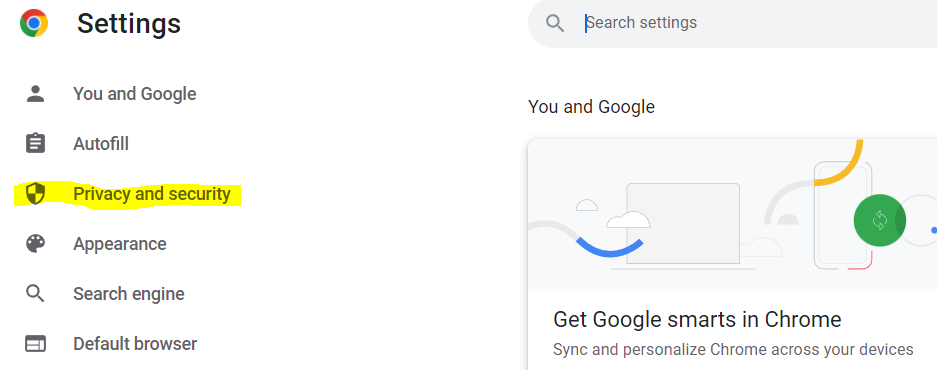
3️⃣ Select Security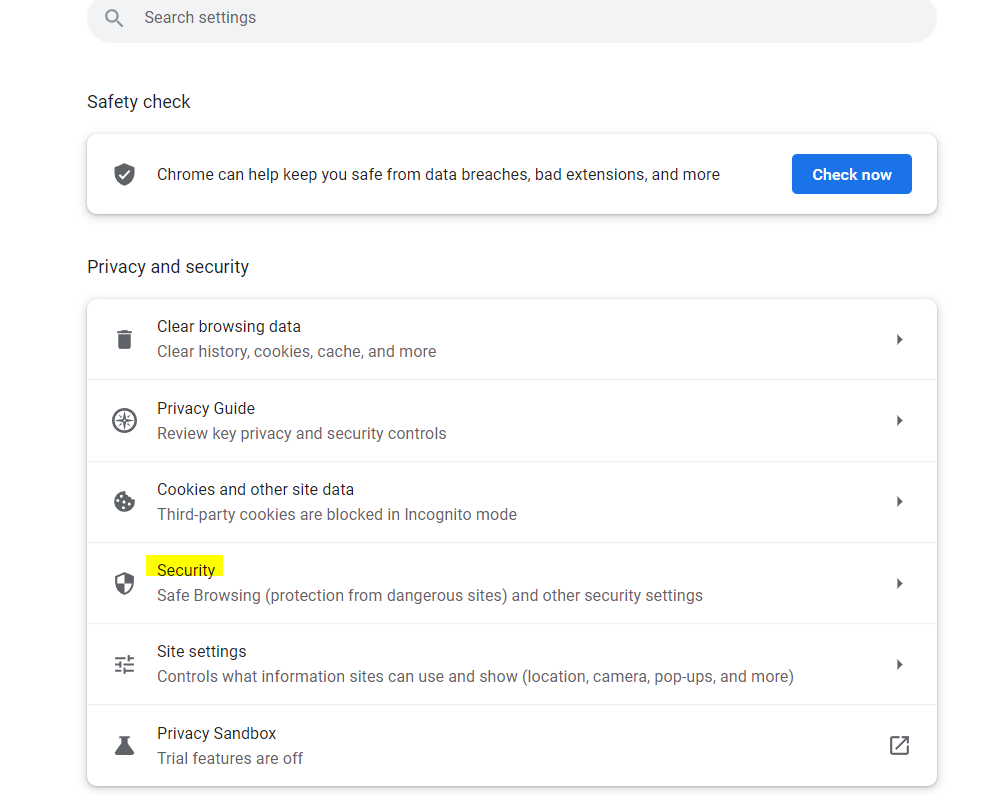
4️⃣ Under Safe Browsing, switch to Enhanced Protection for advanced threat detection and phishing prevention.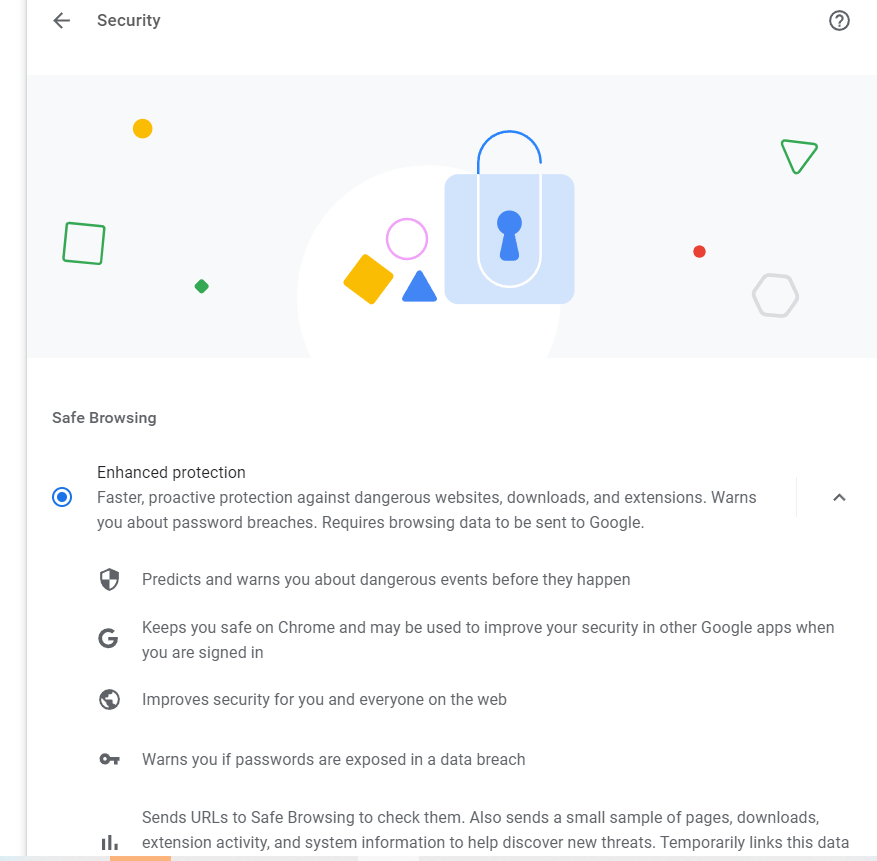
5️⃣ Enable Always use secure connections to automatically upgrade all connections to HTTPS when possible.
6️⃣ Activate Use secure DNS to ensure encrypted DNS queries, protecting your browsing from interception.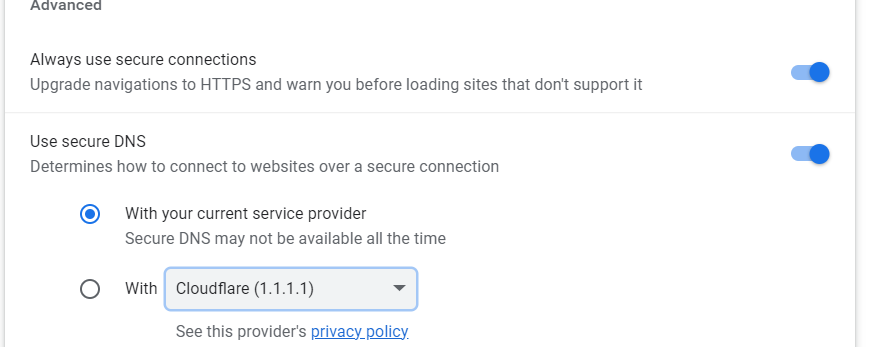
🕵️ Step 2: Change Your Browser’s User Agent
Why change your User Agent?
The User Agent reveals your browser type, version, and operating system to websites you visit. Modifying it can help obfuscate your online identity and reduce tracking.
Here’s how to do it:
1️⃣ Press Ctrl + Shift + I (Windows/Linux) or Cmd + Option + I (Mac) to open the Developer Tools panel
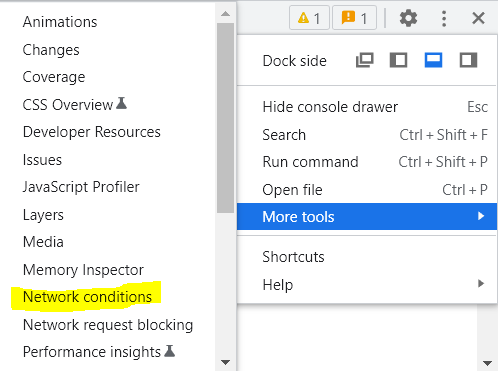
2️⃣ Click on the three-dot menu (⋮) in the Developer Tools window
3️⃣ Go to More Tools → Network Conditions
4️⃣ Uncheck Use browser default under the User Agent section
5️⃣ Select a predefined User Agent from the list, or enter a custom User Agent string of your choice
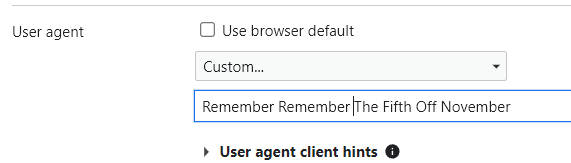
And that’s it, your browser identity is now masked from basic detection scripts and services.
✅ Final Thoughts
While simple, these browser security adjustments can significantly reduce your exposure to online threats, tracking, and phishing attempts.
Cybersecurity is all about reducing attack surfaces, and your browser is a prime target.
📢 Need Professional Security Hardening?
Our cybersecurity specialists can help you secure your entire digital environment, from browsers to endpoints, networks, and cloud infrastructure.